Tenable Vulnerability Management - Integration
- Overview
- Solution Brief
- Key Capabilities
- Integration Details with Tenable Vulnerability Management (TVM)
- Video Overview
- Integration Architecture
- How it Works
- Configuration
- Integration Parameters
- Tenable VM Tag Variables (DASM Risk Level Mapping)
- Administration and Operations
- Data Risk Reporting with TVM
- Scanning Data Attack Surface
- Patch Remediation with TVM
Overview
The Tenable integration offers static Assets sync Data Attack Surface tracking within Tenable Vulnerability management . This allows reports on the Data Attack surface asset as using the asset as target for more frequent scanning schedule . Vulnerability scan results are fully integrated into the AI prediction model within Superna Data Attack Surface Manager
Solution Brief
Read the Solution brief with Tenable Tenable Vulnerability management
Key Capabilities
- DASM will use the tagging features in TVM (Tenable Vulnerability Management) to identify the data risk threat of an asset based on DASM's Data Risk score. This provides unique data threat risk updates to assets using a continuous threat risk assessment AI powered model.
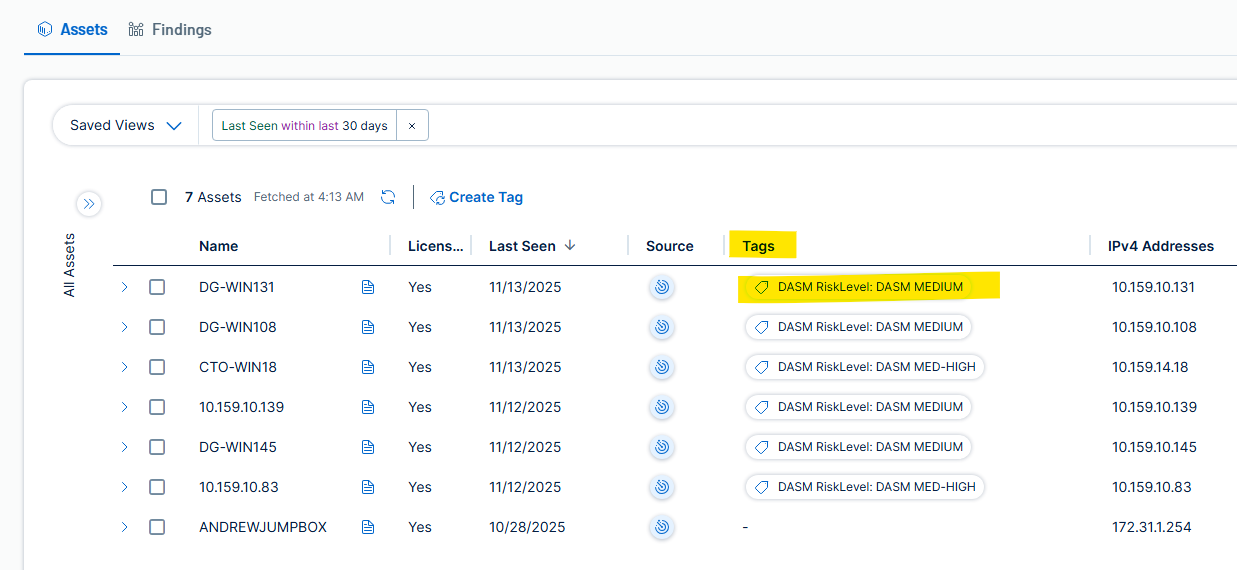
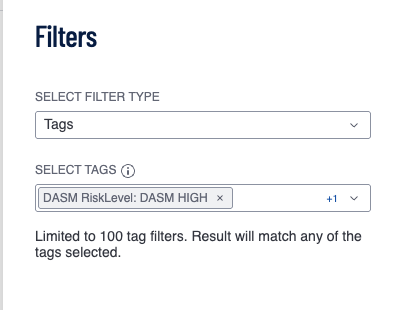
- Data Attack Surface Reporting by threat level is now possible within TVM using tags to filter the report based on DASM risk levels
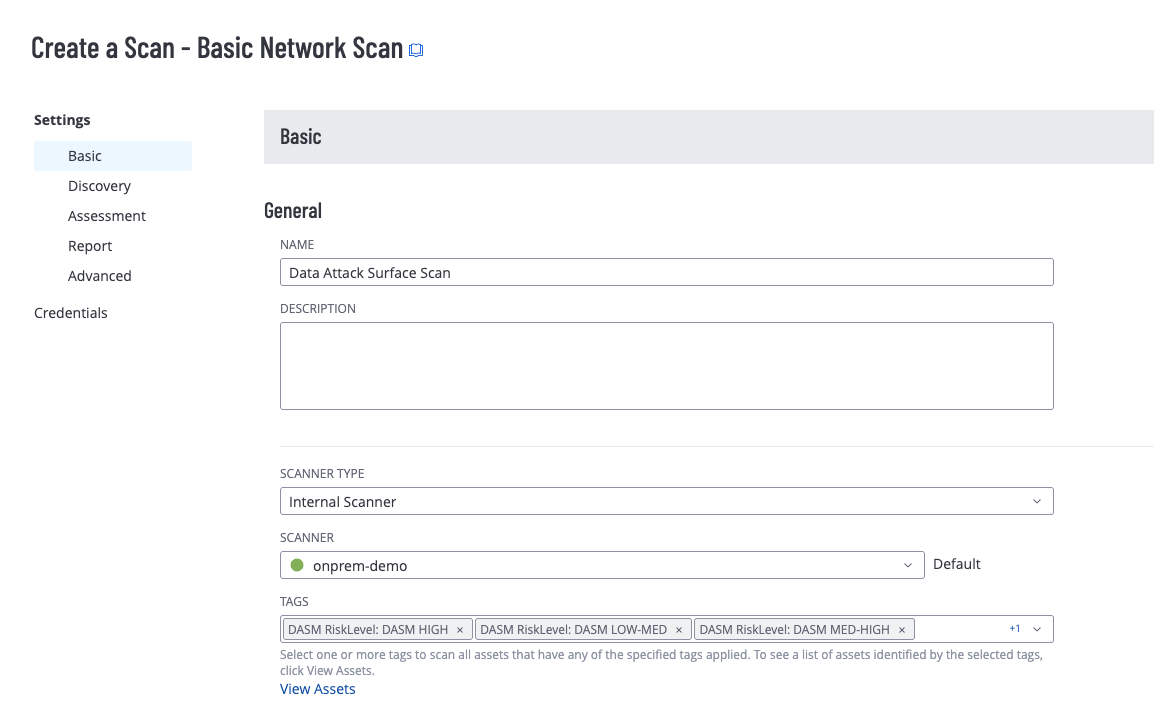
- Accelerated Scheduling - DASM tags allow automated target scans from existing scan schedules. This is all powered by the Tagging feature in TVM.
- Filter Assets by Data Threat risk to export lists for patch remediation
- Patch Remediation automation
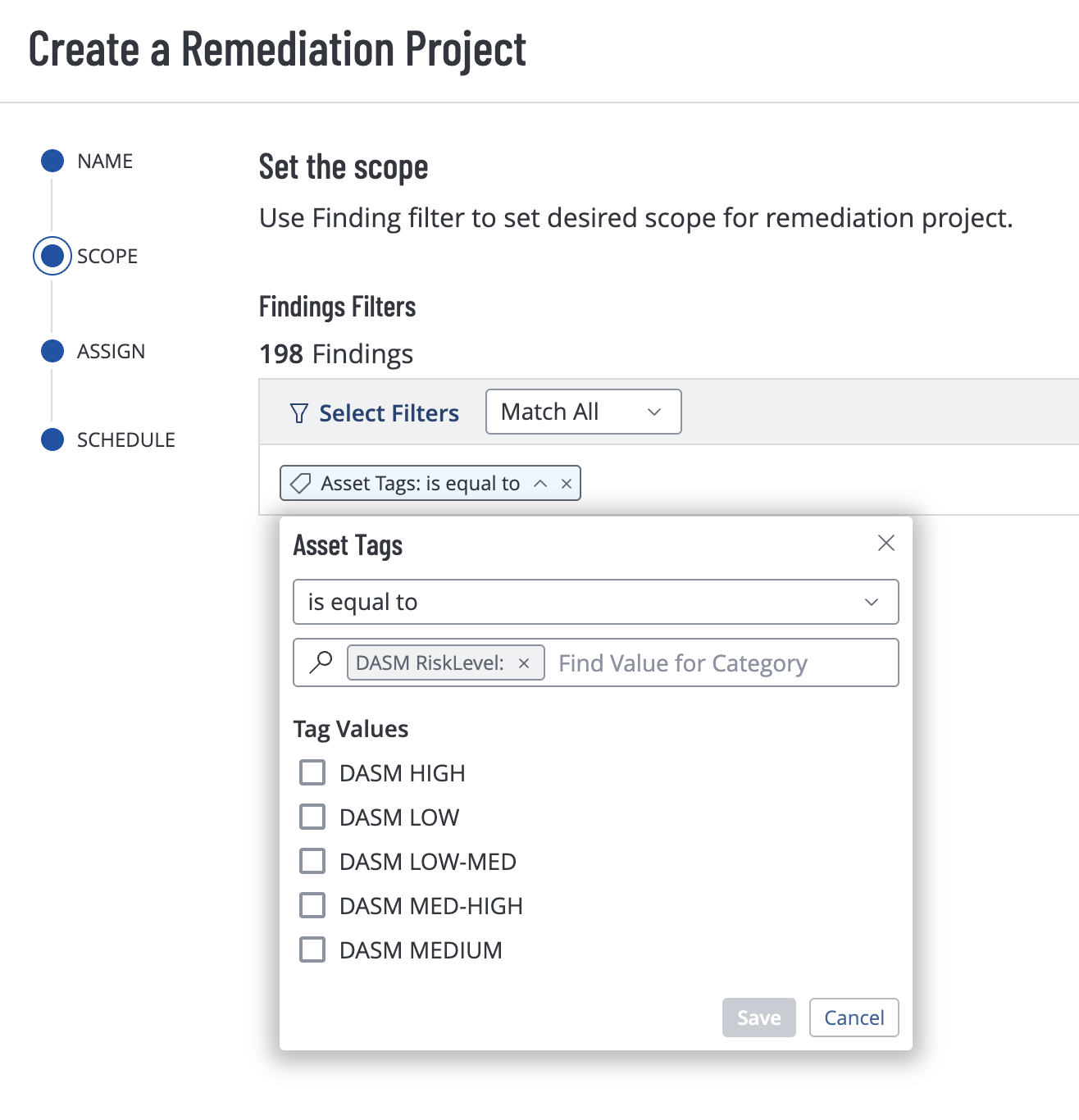
- Using tags to automatically filter remediation project by data threat risk.
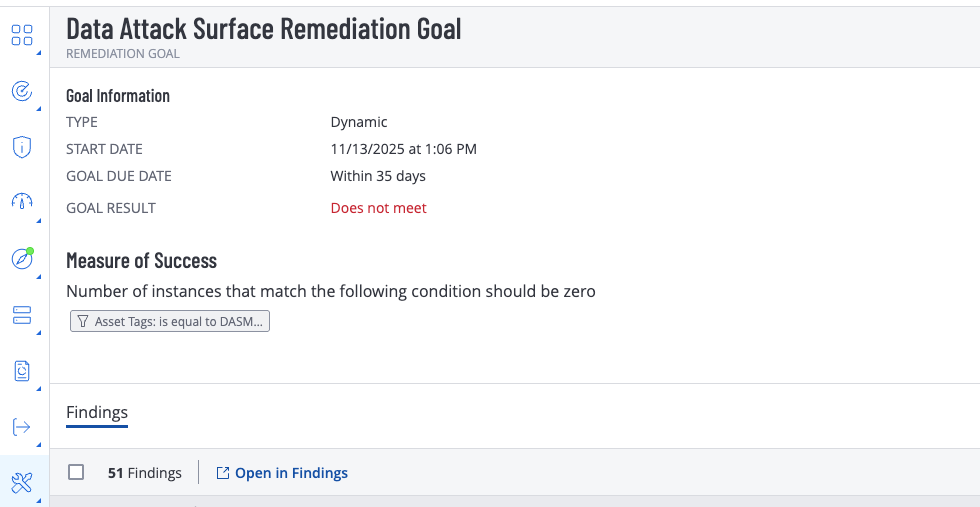
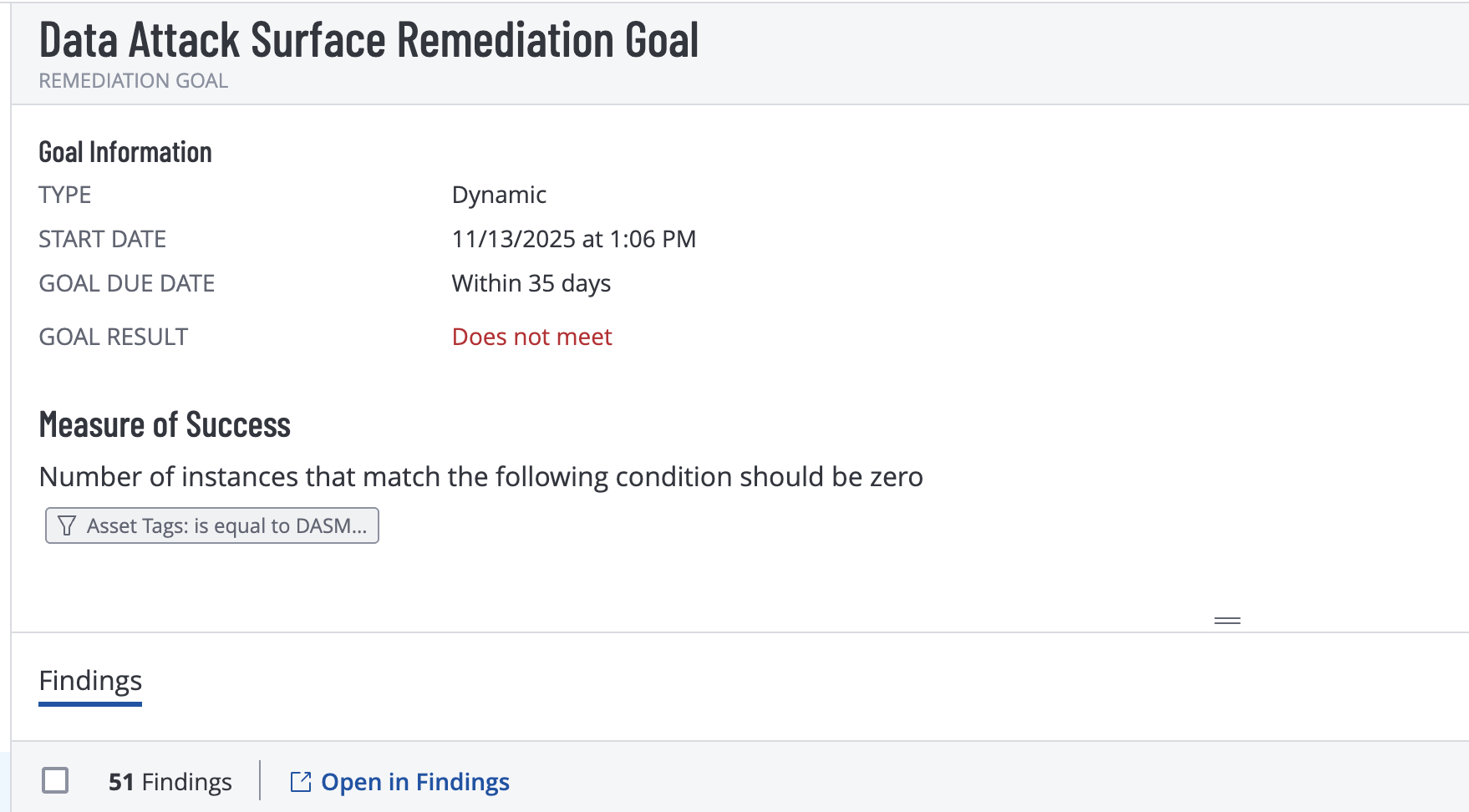
- Remediation Goals track Data risk remediation progress goals.
Integration Details with Tenable Vulnerability Management (TVM)
The integration between the Superna Data Attack Surface Manager (DASM) platform and Tenable Vulnerability Management (TVM) is a powerful capability designed to enhance an organization's security posture by bridging the gap between asset management and vulnerability intelligence. This seamless integration supports a comprehensive set of features, enabling automated, end-to-end vulnerability lifecycle management.
The key supported features include:
Vulnerability Retrieval: The integration's primary role is the regular acquisition of vulnerability data from Tenable Vulnerability Management (TVM). DASM takes this intelligence feed, which emphasizes Common Vulnerabilities and Exposures (CVE) and Common Vulnerability Scoring System (CVSS) scores from vulnerability reports, and uses it to fuel its risk analysis engine. This allows DASM to accurately evaluate risks according to the severity of the threat.
Tag Creation: DASM possesses the ability to programmatically generate new tags directly within the TVM platform. This function is vital for the proper categorization and organization of assets based on their security context and risk priorities. By creating tags through DASM, the risk-analysis metadata is consistently applied and readily available for effective filtering and reporting within TVM.
Tag Assignment: After tags are created, DASM automatically assigns them to the corresponding assets within TVM. This automated process is crucial for streamlining asset classification and guaranteeing the accurate population of TVM's dynamic asset groups and reporting dashboards. By automatically assigning tags, DASM enables the effective identification of assets relevant to a specific attack surface risk level, offering a significant efficiency improvement over manual tagging methods.
Missing Asset Import: DASM can detect missing assets plugging a key gap in vulnerablity scanning of critical hosts. The solution will import missing assets and tag them so scan schedules can pickup the blind spot assets. This improves the effectiveness of vulnerability scanning.
Video Overview
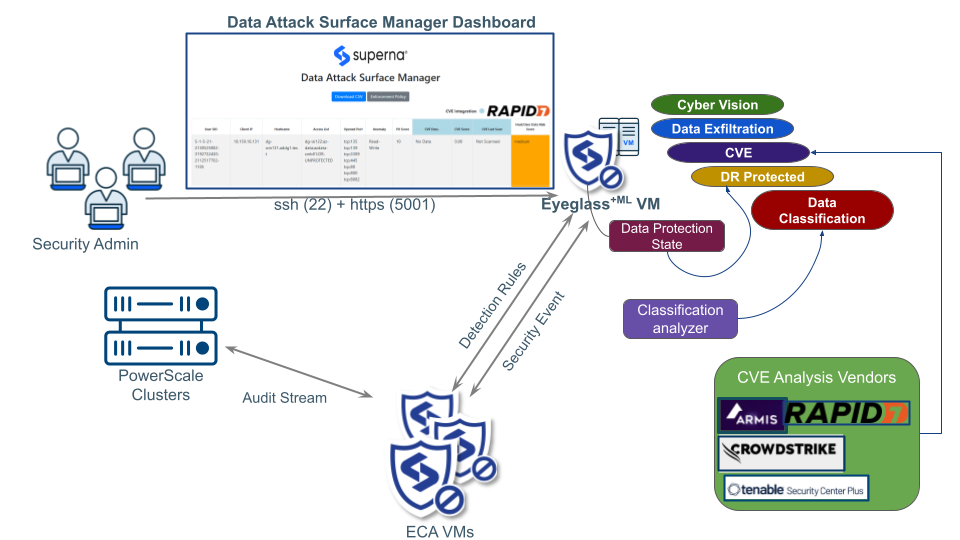
Integration Architecture
How it Works
DASM will create TVM Tag with category: “DASM Asset” and Tag value: “DA“ and set Rule for dynamic tagging: Source = “dasm”
New host IP detected by DASM, if it is not in TVM asset yet it will be imported as TVM asset with ip address and Source = “dasm”
Based on the dynamic rule of tagging, that asset will be tagged as “DASM Asset:DA”
Customer only needs to add “DASM Asset:DA” Tag into their existing scan setting and allow to use Tag rule as scan target. Example:
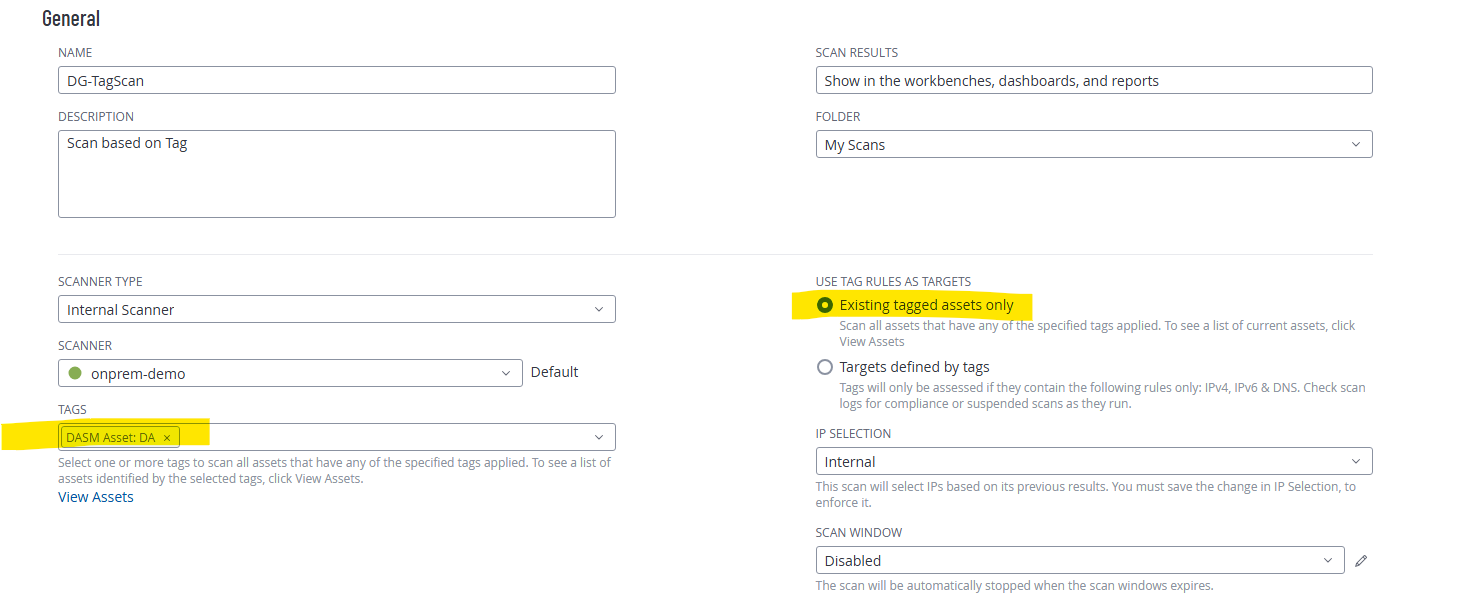
Scan Schedule is based on customer setting. The next scan schedule will include those new asset with tag “DASM Asset:DA”
The next run cycle, DASM module will check the availability of CVE report for the listed asset IP address, extract this CVE information and combined for our DASM Data Risk Assessment
Another separate tagging process will apply “DASM Risk Level” tags category based on DASM Data Risk Level of attack surface assets.
Configuration
Integration Parameters
This section details the parameters for integrating the DASM system with TVM. The integration is managed through specific parameters defined within two core configuration files, allowing DASM to leverage TVM's scanning capabilities and risk assessment data.
cvm_ml_variables_update.py Configuration
This Python file is essential for defining the operational parameters for the Tenable VM scan initiated by DASM. These variables control the scan's identity, schedule, scope, and the mapping of DASM risk levels back into Tenable's tagging system. This python file when executed will update the TVM variables in the DASM - TVM module.
Tenable VM Tag Variables (DASM Risk Level Mapping)
The following variables define the mechanism for DASM to write its calculated risk levels back into Tenable VM as asset tags. This allows TVM reports and dashboards to be enriched with DASM's specific risk assessment.
Variable Name | Description | Default Value | Purpose |
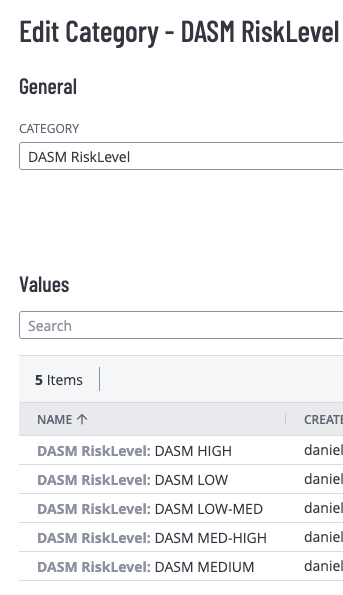
TAG_CATEGORY_NAME | The name of the Tag Category that will be created in TVM to house the risk level values. | 'DASM RiskLevel' | This category groups all the risk tags created by the DASM integration. |
TAG_CATEGORY_DESC | A brief description for the Tag Category. | 'DASM Risk Level Category' | Provides context for the tag category within the TVM interface. |
TAG_VALUE_1 | The tag value corresponding to the lowest risk classification. | 'DASM LOW' | Maps DASM's lowest risk tier to a recognizable tag. |
TAG_VALUE_2 | The tag value for the low-medium risk classification. | 'DASM LOW-MED' | Represents a slightly elevated but still moderate risk. |
TAG_VALUE_3 | The tag value for the medium risk classification. | 'DASM MEDIUM' | Standard moderate risk level. |
TAG_VALUE_4 | The tag value for the medium-high risk classification. | 'DASM MED-HIGH' | Signifies a significant risk that requires attention. |
TAG_VALUE_5 | The tag value corresponding to the highest risk classification. | 'DASM HIGH' | Denotes a critical risk level. |
cvm_config_file.json Configuration
This JSON file is used to store the sensitive authentication credentials and the base URL for the Tenable VM cloud service, which are mandatory for programmatic access via the Tenable API. This json file will be stored as an encrypted file.
{
"tenablevm": {
"TENABLEVM_ACCESS_KEY": "YOUR_ACCESSKEY",
"TENABLEVM_SECRET_KEY": "YOUR_SECRETKEY",
"TENABLEVM_BASE_URL": "https://cloud.tenable.com"
}
}
Parameter | Description | Placeholder/Example Value | Security Context |
TENABLEVM_ACCESS_KEY | The unique Public API Key (Access Key) generated from the Tenable VM user interface for API access. | "YOUR_ACCESSKEY" | This is a required credential for authenticating DASM with the Tenable API. |
TENABLEVM_SECRET_KEY | The corresponding Private API Key (Secret Key) that authenticates the Access Key. | "YOUR_SECRETKEY" | This secret must be protected and used exclusively for API communication. |
TENABLEVM_BASE_URL | The primary URL endpoint for the Tenable Cloud platform API. | "https://cloud.tenable.com" | This is the standard public cloud endpoint and should generally not be modified unless using an air-gapped or government-specific Tenable deployment. |
Critical Note: The TENABLEVM_ACCESS_KEY and TENABLEVM_SECRET_KEY grant full programmatic access to the Tenable VM environment, and must be treated as sensitive credentials. They should be obtained from a user account with the necessary permissions to create, delete, assets, and apply tags to assets within Tenable VM.
- The integration requires API access, once the integration is completed a new Superna Data Attack Surface site is configured to aggregate data risk score hosts discovered by Superna Data Attack Surface Manager.
- To Generate authentication keys to TVM, login to the console.
- Open settings
- Access Control
- Create a user that will be used as a service for DASM, provide permissions to this user as follows:
- Permissions: create, manage scans, and apply tags within Tenable VM (consult TVM documentation for how to configure permissions)
- Preparing DASM Asset Tagging in Tenable Vulnerability Management (Only applicable for TVM platform
- This procedure is only applicable for the Tenable Vulnerability Management platform. It is for preparing DASM Asset Tag creation in TVM. The script requires authentication json to be updated. It will create the asset tags.
- Login to Eyeglass vm over ssh
- cd /mnt/ml_data/ml-cvm
- Change the directory to ml-cvm:
- Mandatory to run the initial round of the process by executing this
- ./cvm_start_tenablevm_setup_tags.sh
- Done
- Grant permissions to the tags using the permissions tab in the Access Control interface.
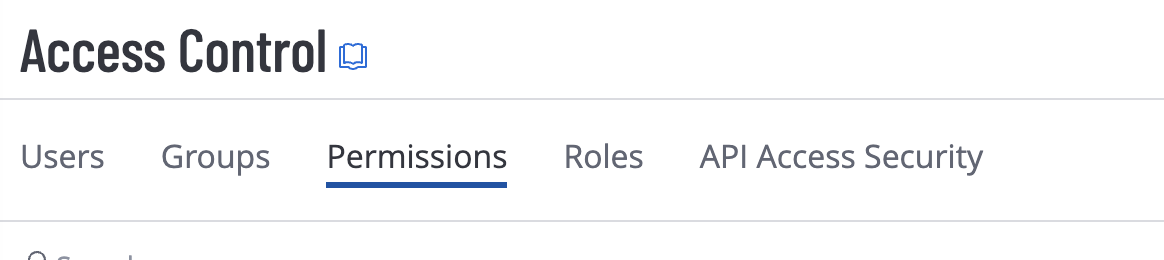
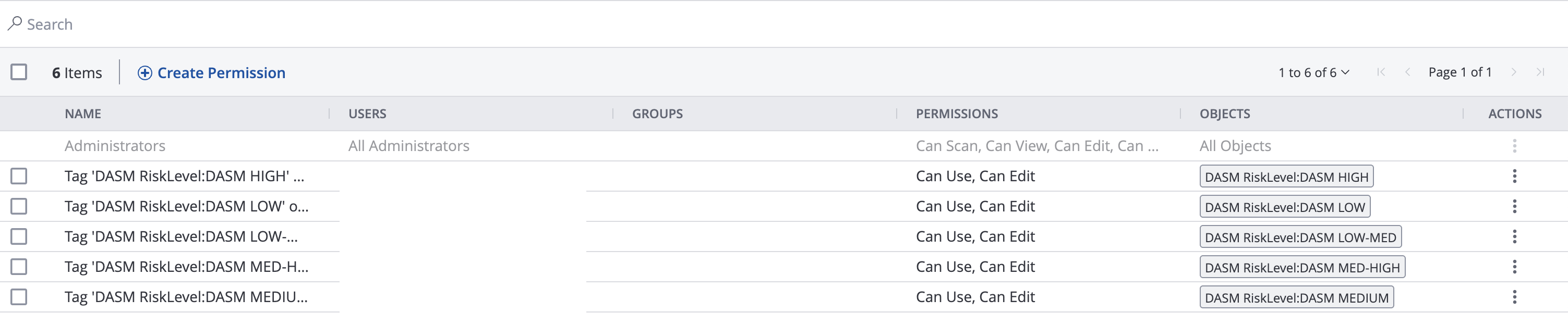
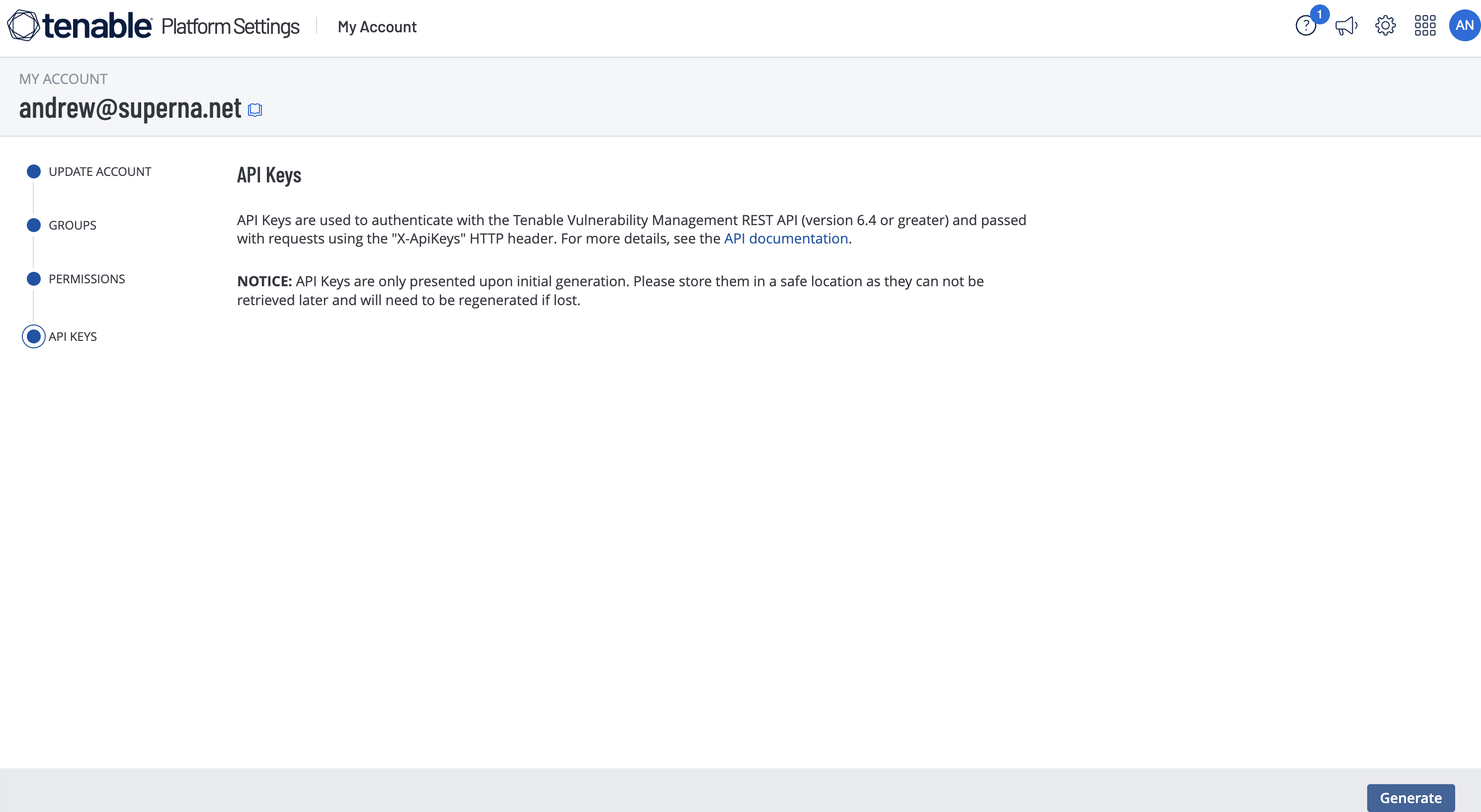
- Now click the user created for the DASM service account and select the API key tab and generate an api token to record and use in the steps below for DASM configuration.
- The configuration files require the following information.
- The settings are configured in cvm_ml_variables_update.py
- # TVM-TENABLE VM CVE (TENABLE Vulnerability Management)# Tenable VM Tag variables (default)TAG_CATEGORY_NAME = 'DASM RiskLevel'TAG_CATEGORY_DESC = 'DASM Risk Level Category'TAG_VALUE_1 = 'DASM LOW'TAG_VALUE_2 = 'DASM LOW-MED'TAG_VALUE_3 = 'DASM MEDIUM'TAG_VALUE_4 = 'DASM MED-HIGH'TAG_VALUE_5 = 'DASM HIGH'
- The access keys must also be configured in the file cvm_config_file.json
- Each new Data Risk Score host will be synced to the Asset tag named as the DASM Risk Level Categories.
- Missing Assets are imported to TVM and tagged according to
Administration and Operations
Data Risk Reporting with TVM
- Vulnerability Reporting
- Open the reporting interface and select a report type.
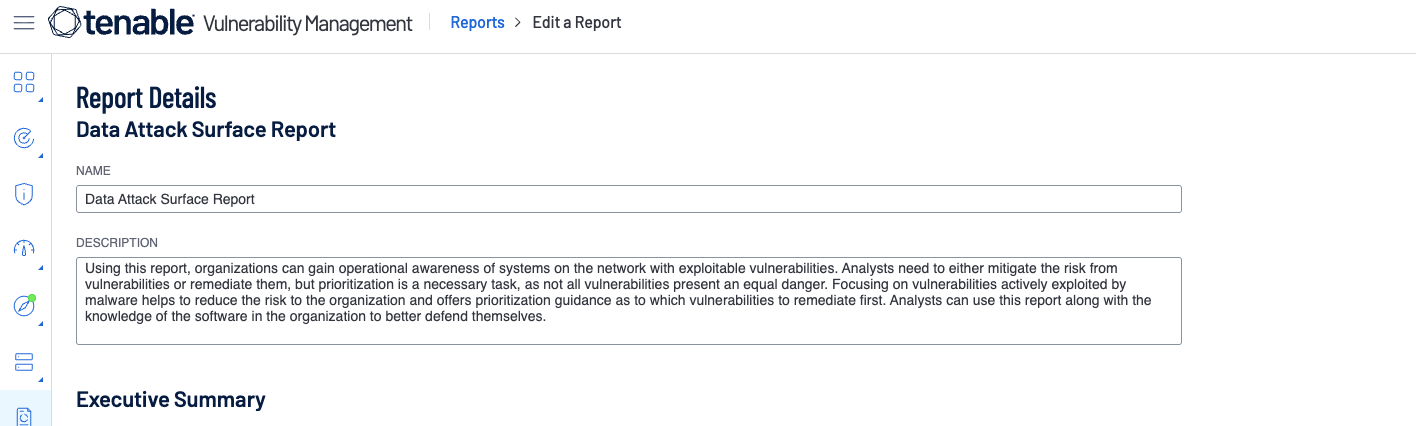
- Configure the name of the report
- Edit the filters to select the Data Threat risk level for the report.
- Execute the report to see the scope of the vulnerabilities on critical data hosts.
- Sample report
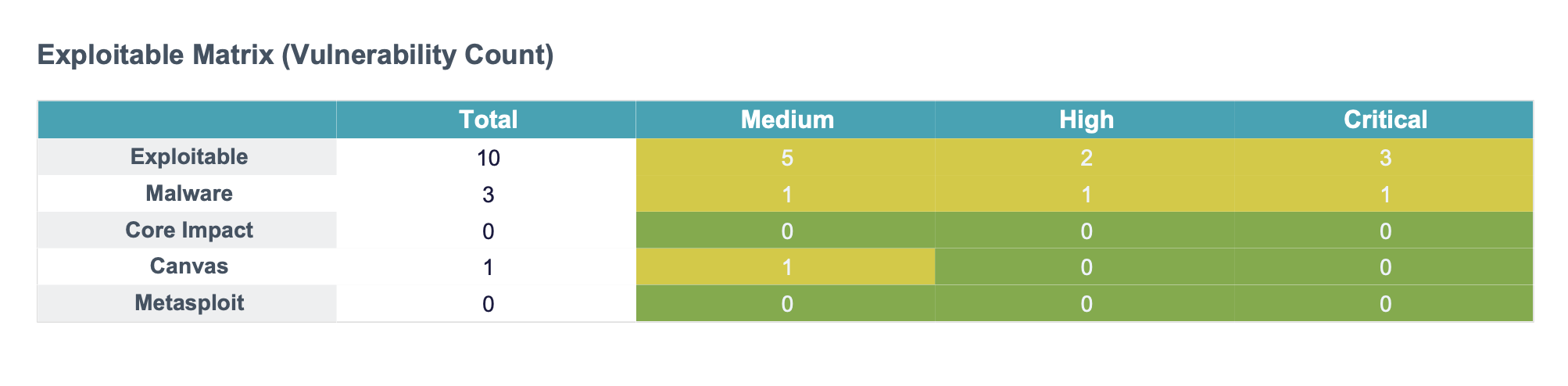
- Download pdf sample
- Repeat these steps to focus a report on the Data Attack Surface hosts
Scanning Data Attack Surface
- Open the Scans interface
- Create a new scan definition and set the name and the select the tags for DASM Data Risk Level to apply a schedule. NOTE: Different schedules for different Data Risk Levels can be configured by selecting only the tag for the risk level.
- Launch the scan
Patch Remediation with TVM
- Patch Remediation integration the TVM & DASM enables seamless reporting and goal setting to monitor Data Security Posture improvements through better risk assessment and prioritized vulnerability reduction. In order measure the KPI for Data Risk Posture reduction reporting on progress is a key use case for TVM.
- Creating a remediation project that leverages asset tags.
- Set remediation due date
- Remediation Goals - Allows monitoring of your data attack surface patch goals to measure time to remediate critical data infrastructure. This can also leverage the Asset tags created by DASM and allows applying Remediation Goals for each level of data risk assets.
-