Splunk SOAR Zero Trust Application and playbook
- Overview of Splunk On premise SOAR Solution
- Support Statement
- Limitations
- Solution Overview
- Features
- What is Splunk SOAR?
- Solution Configuration in Splunk Enterprise and Defender Zero Trust
- Prerequisites
- Configure Data Security Edition Integration
- Configuration in Splunk SOAR
- Use Cases for Superna Zero Trust Data protection playbooks
- Cyberstorage Incident Response - Capabilities
- How to use Superna Playbooks in Splunk SOAR
Overview of Splunk On premise SOAR Solution
- Splunk Phantom, renamed to Splunk SOAR, is a security orchestration, automation, and response (SOAR) solution. Security automation involves machine-based execution of security actions to detect, investigate and remediate threats programmatically. Customers can now leverage the full automation capabilities of a SOAR with Superna Zero Trust API's.
Support Statement
-
NOTE: This documentation is provided "as is" without support for 3rd party software. The level of support for this integration guide is best effort without any SLA on response time. No 3rd party product support can be provided by Superna directly. 3rd party components require support contracts
Limitations
Solution Overview
Superna Security Edition Zero Trust API is the cornerstone technology used to integrate with SIEM, SOAR and XDR platforms. Automation begins with data that summarizes the threat and places that information into a security tools to be acted on by Secops and run playbooks to protect corporate IT assets from vulnerabilities and insider or external attackers. The Splunk Soar platform can act on container events and artifacts that provide details on the incident with all relevant data provided to act on with playbooks and automation cross domain.
Features
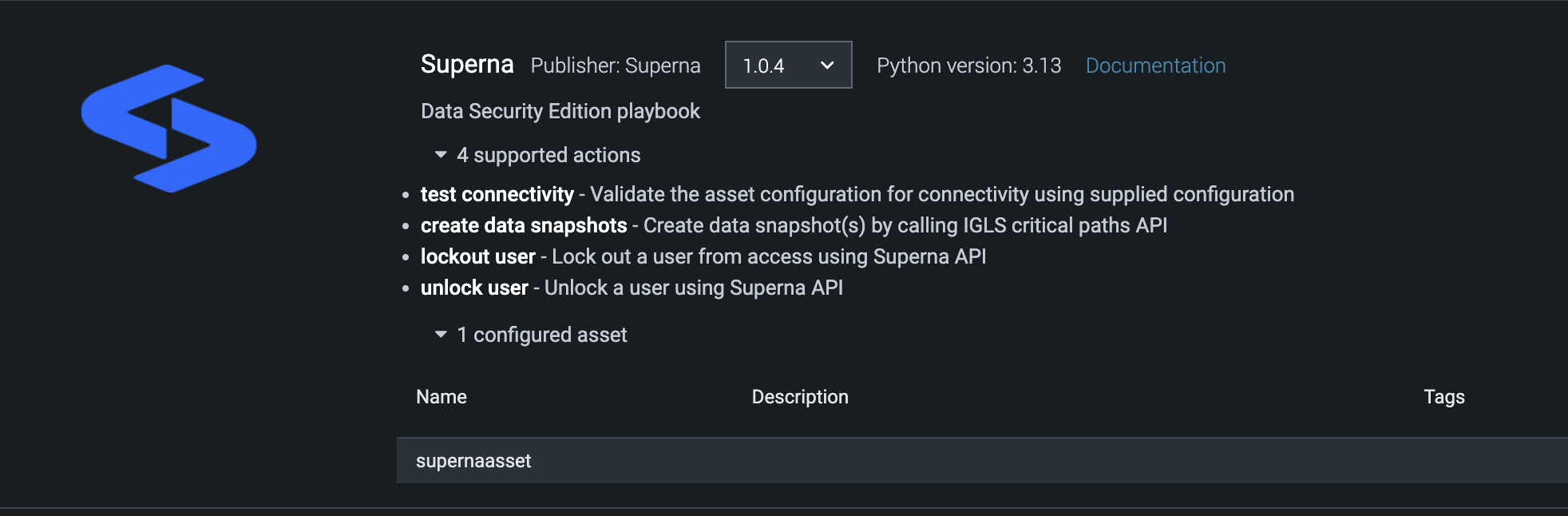
- A Splunk app is installed with 4 actions (Health check connectivity check, data snapshot, user lockout and restore)
- 3 Playbooks are also available to automate responses within the SOAR platform, this save the administator time to create playbooks and use cases and provides a ready to use system in minutes after deployment.
What is Splunk SOAR?
Splunk SOAR is a data-centric, modern security information and event management (SIEM) solution that delivers data-driven insights for full-breadth visibility into your security posture so you can protect your business and mitigate risk at scale.
Solution Configuration in Splunk Enterprise and Defender Zero Trust
Prerequisites
- Installed Security Edition
- Installed Splunk SOAR On Premise
- https port 443 port open between Splunk SOAR and Superna eyeglass virtual machine.
- Eyeglass OS appliance version 15.5
- cat /etc/os-release
Configure Data Security Edition Integration
High Level steps
- Create API token
- Login , open Integrations, api token tab, + sign and provide a name for the token example Slunk SOAR
Configuration in Splunk SOAR
- Download the Superna Zero Trust App for Splunk SOAR here,
- Download the Superna playbooks for Splunk SOAR from here. NOTE: These playbooks require installation of the Superna app to be completed first.
- Unzip the zip file and 3 tgz files should be inside the zip file. Follows steps below.
- Install Zero Trust App
- Login to Slunk SOAR
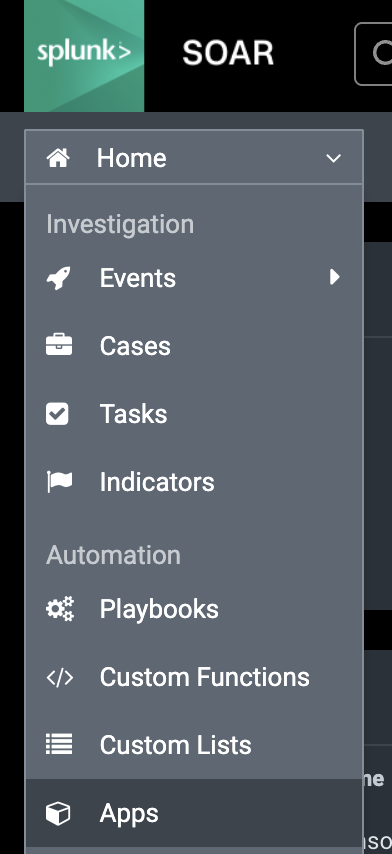
- Click install app
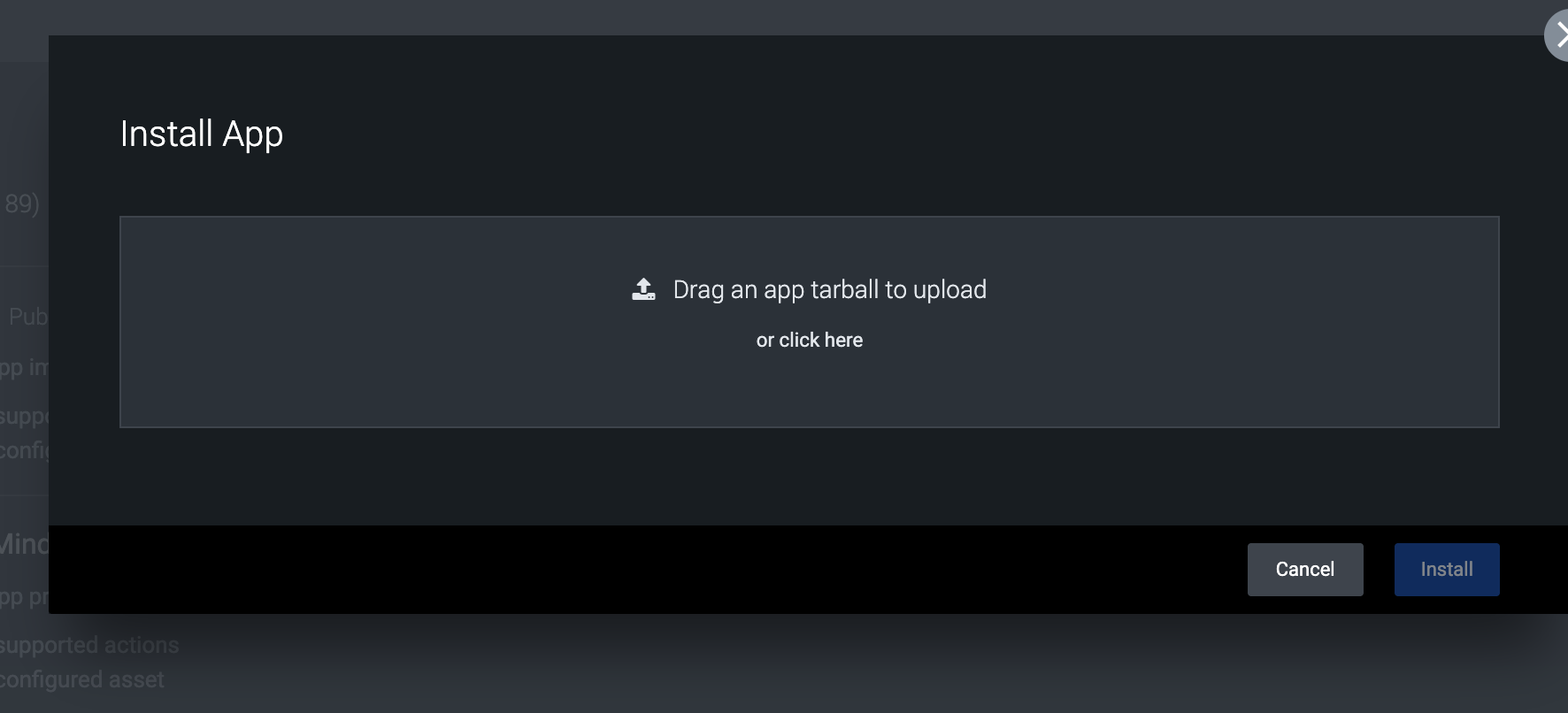
- Browse to the app file with tgz extension and upload the app
- Configure the asset for the app to input the api token created above and the ip address of the eyeglass vm.
- Create a name for the asset example Supernaasset
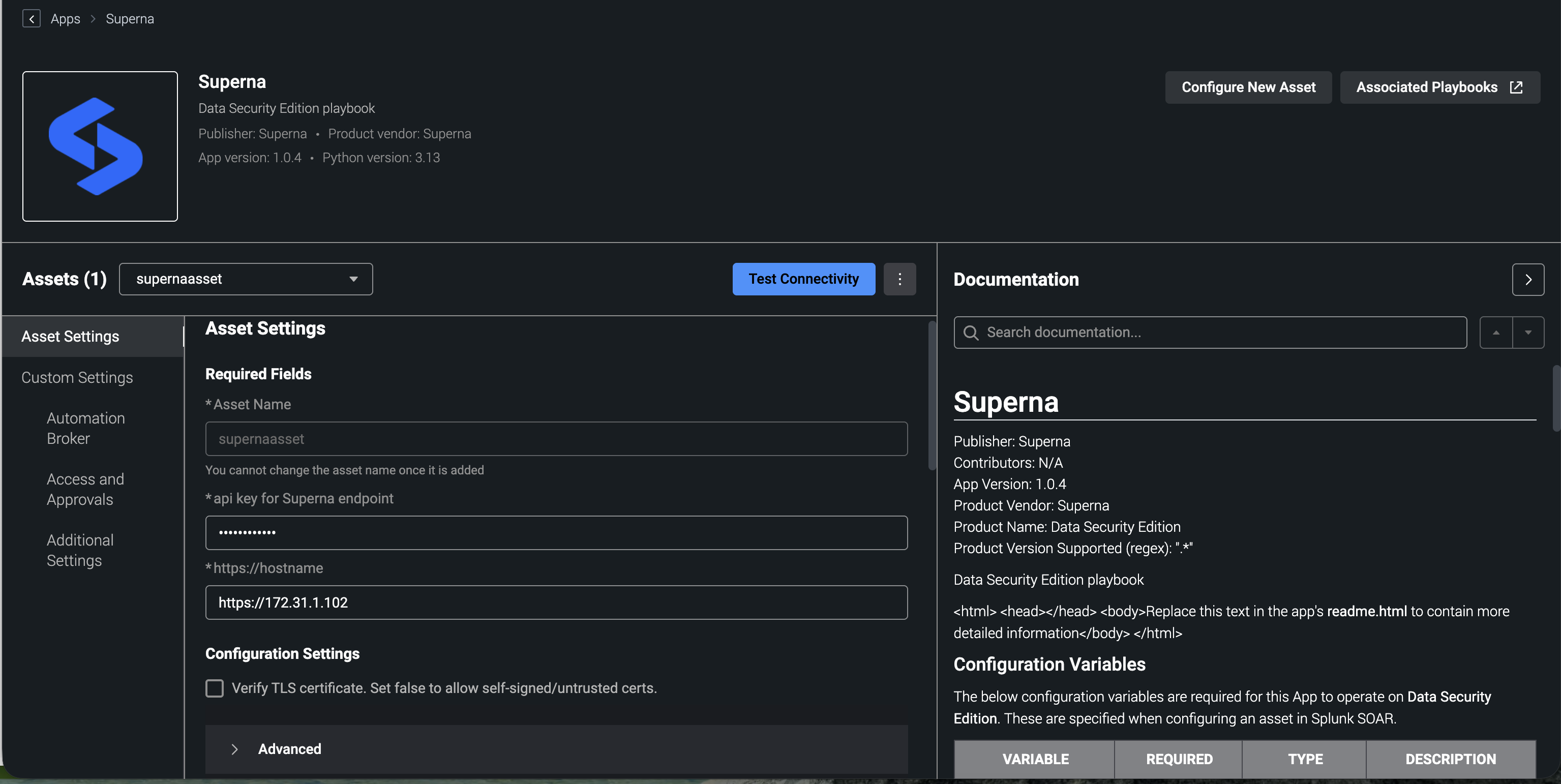
- Input the api endpoint with syntax shown above https://x.x.x.x
- Input the api token
- The default is disabled cert validation since Eyeglass deploys with a self signed cert.
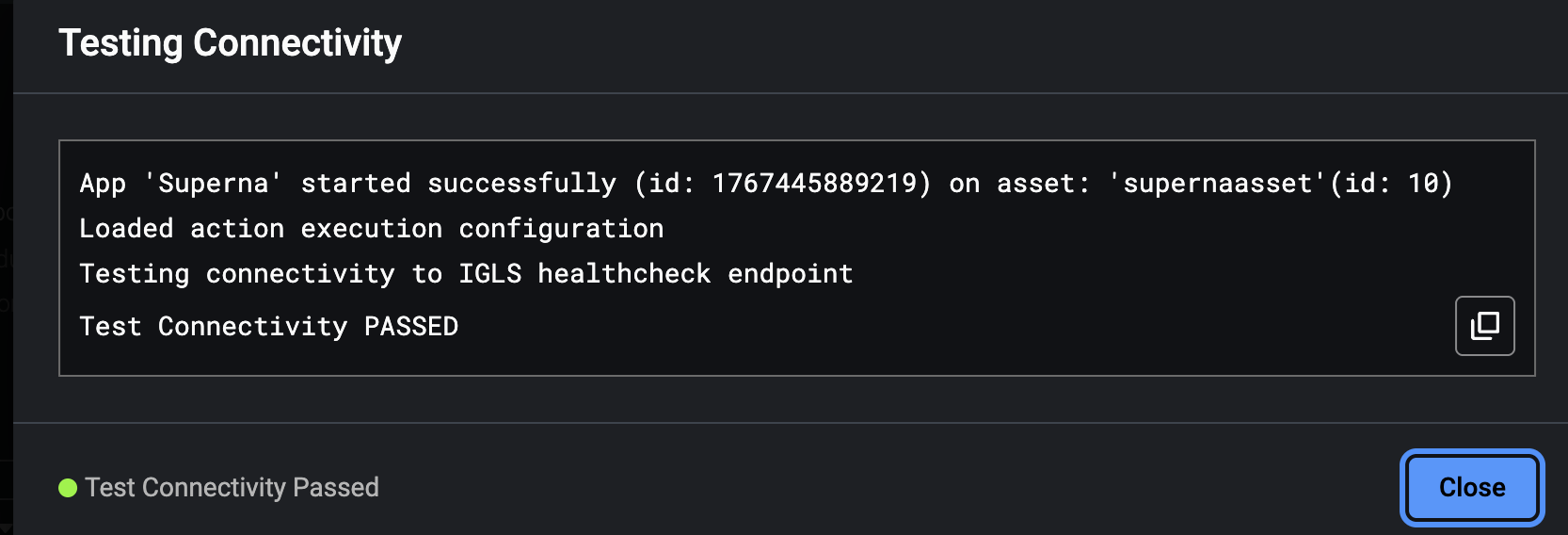
- Click the test connectivity button. This will test ip connectivity to the Eyeglass VM from the Splunk VM and issues appliance health check API and returns success if successful.
- Login to Slunk SOAR
- Once successfully tested you should have a fully configured application in Splunk with 4 actions and 1 asset
- Install playbooks
- Open the playbooks tab in Splunk SOAR
- Click import playbooks

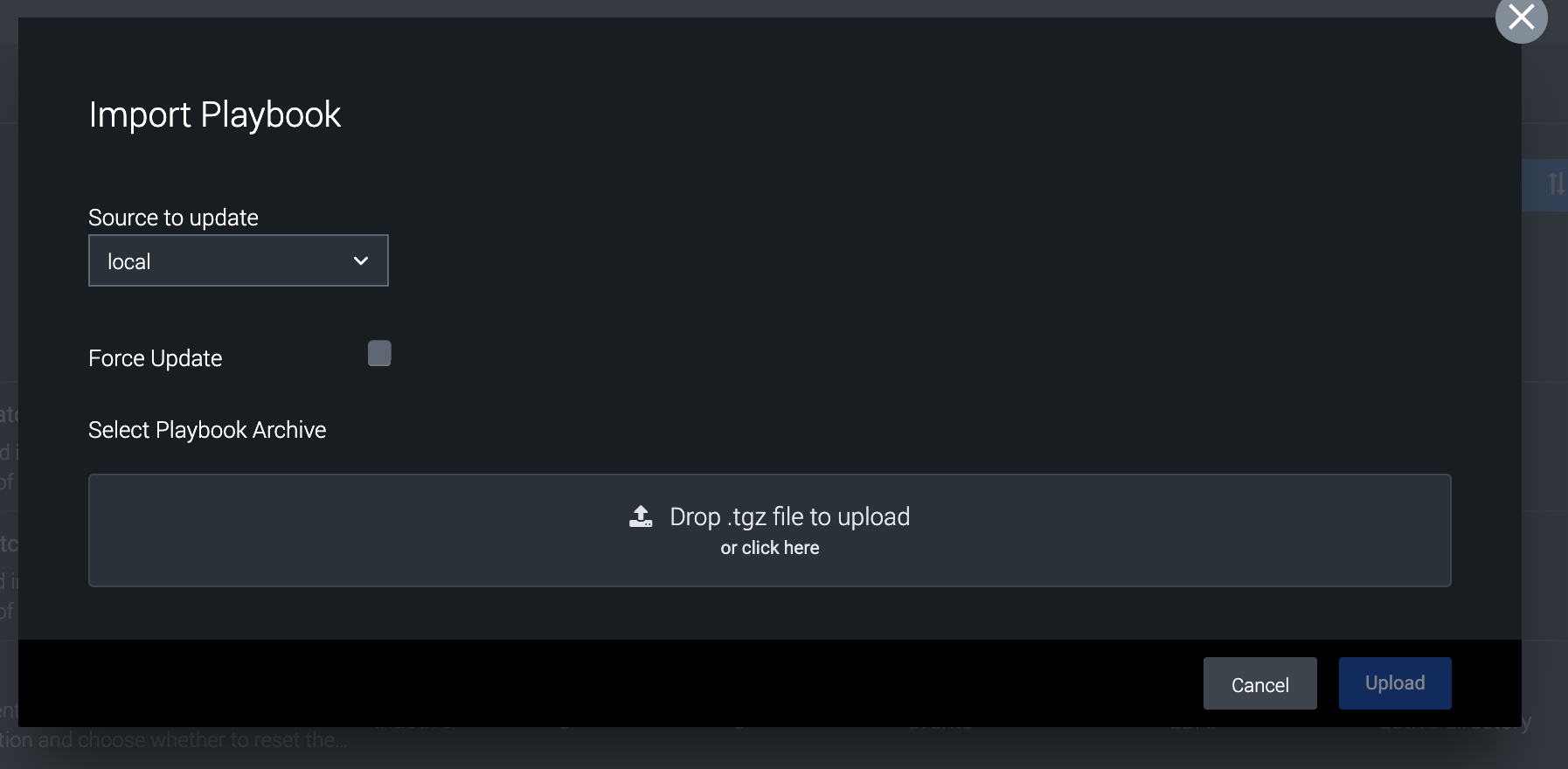
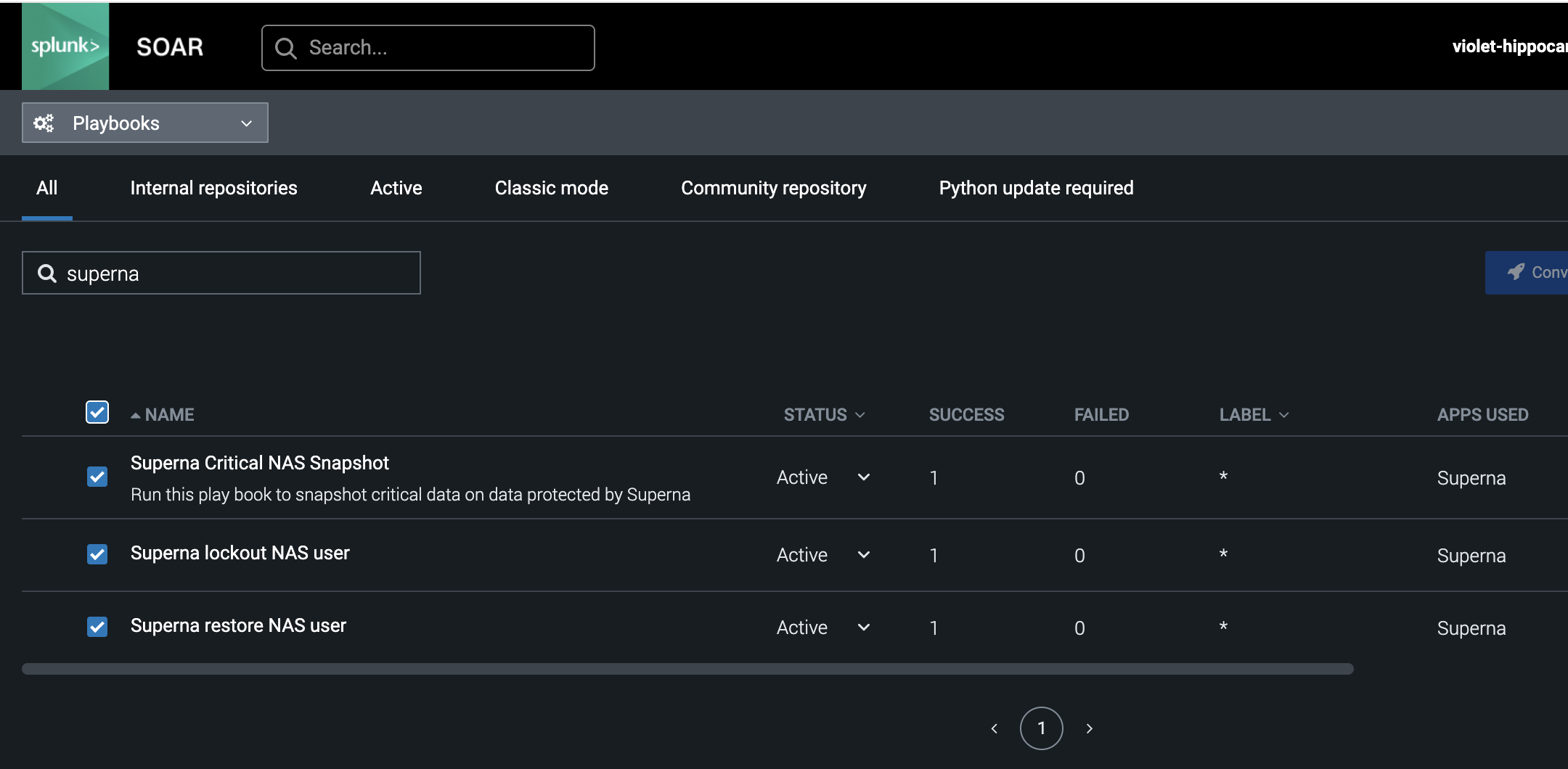
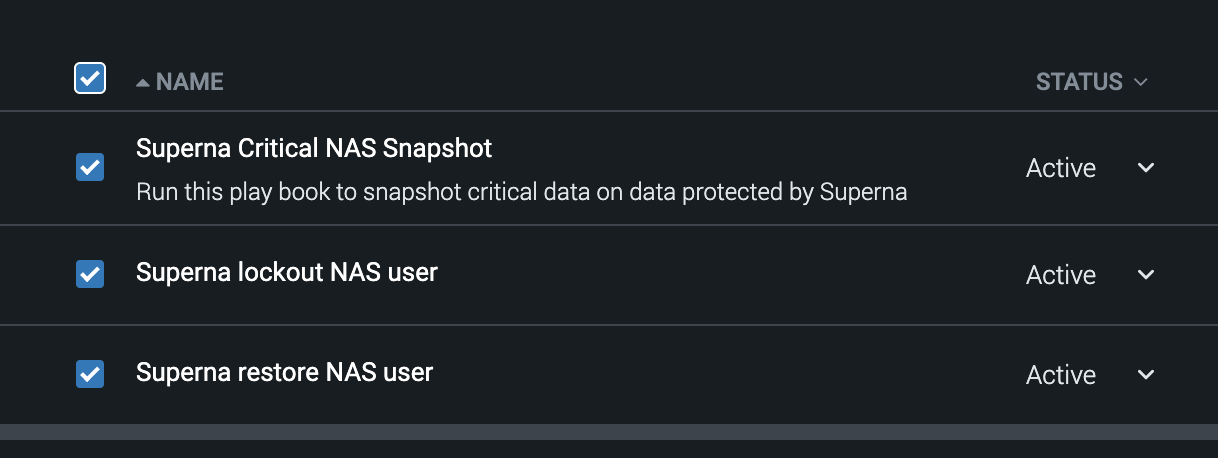
- Upload each playbook file from the zip file. Once completed you should see 3 playbooks listed.
- Make sure all playbooks are set to active
- Installation complete
Use Cases for Superna Zero Trust Data protection playbooks
- The Superna Cyberstorage Incident Response application provides industry first capabilities to SOC Managers and analysts to protect data directly during Incident response process without needing any direct access or knowledge of storage systems.
- Incident Examples
- User account is phished
- Run Snapshot and user lockout workflows
- Suspected host breach by an attacker
- run snapshot workflow to protect data and provide a roll back point from an immutable snapshot
- Large DDOS attack on external firewall
- Protect data with snapshot workflow
- Employee termination
- Disabling an AD account is not enough, running user block action guarantees that user account cannot login to modify , delete or take corporate data
- User account is phished
Cyberstorage Incident Response - Capabilities
- Zero trust Splunk SOAR application, integration and workflows to extend offensive data protection as an action to respond to any incident within Splunk SOAR.
- Superna Data Security Edition Integrations enable the following Cyberstorage Incident Response Actions.
- Cyberstorage IR - Critical Data Snapshot API as defensive response to any incident within Splunk SOAR. This creates immutable snapshots on critical data on all NAS devices protected by Superna.
- Cyberstorage IR - User Data Block - Allows SecOPS to block a user and leverages approval workflow to route request to approve a user lockout
- Cyberstorage IR - User Data Restore - Allows SecOPS to restore a users data access and leverages approval workflow to route request to approve or deny a user restore by the SecOPS manager
How to use Superna Playbooks in Splunk SOAR
- Open a case within Splunk SOAR

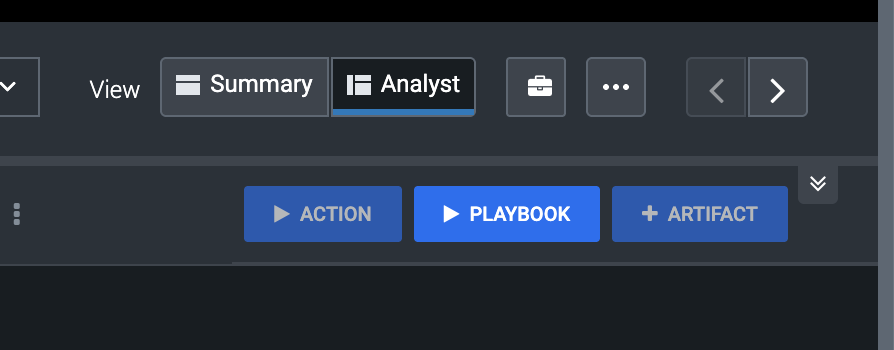
- To run a playbook ensure you are in analyst view
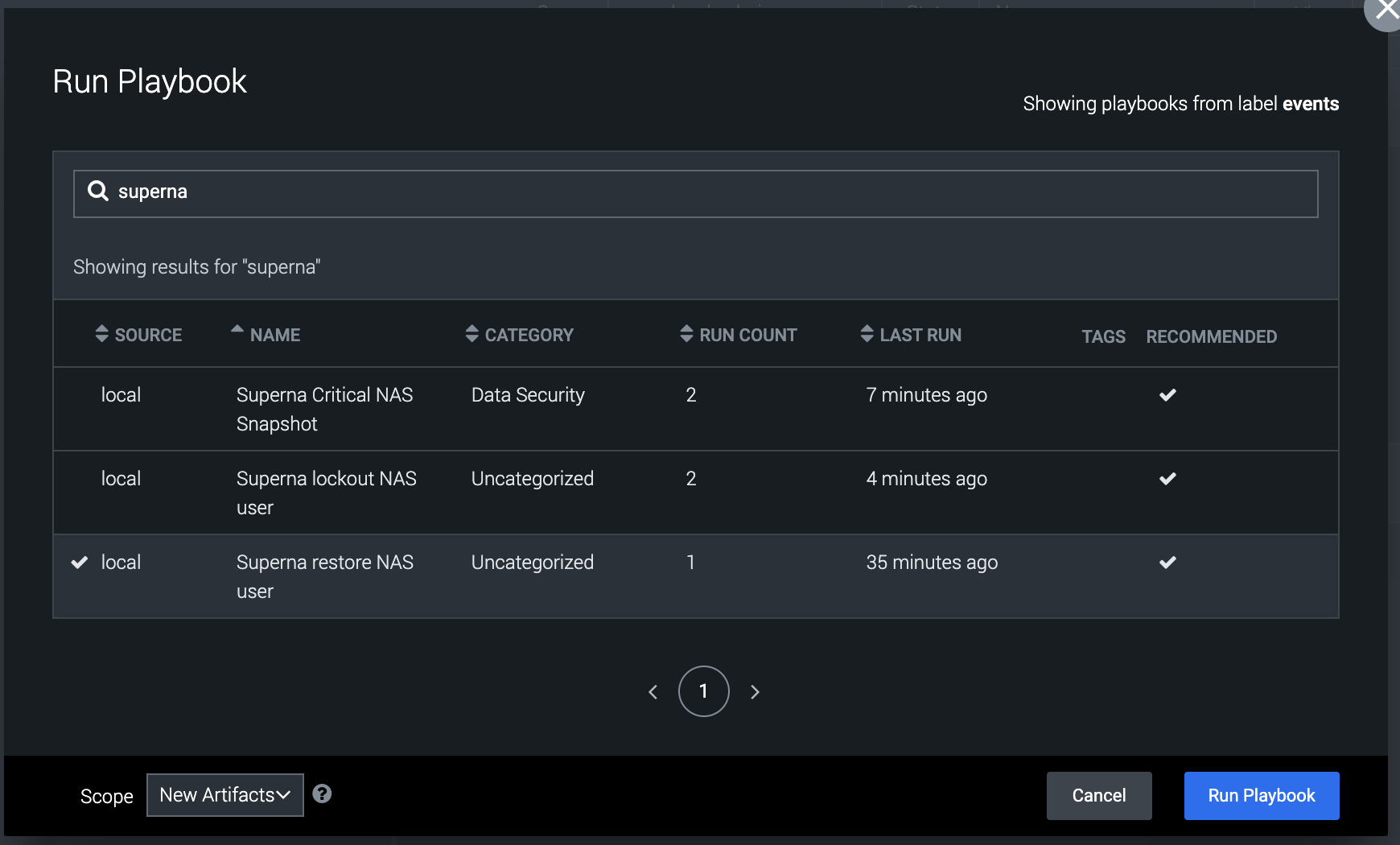
- Press the playbook button
- Filter on superna

- Running the snapshot playbook
- This playbook does not require any inputs and will create immutable snapshots on critical data if the threat requires defensive actions. This ensures Superna Data Security Edition can recover files from a snapshot if data was attacked.
- Select the playbook and click run Playbook
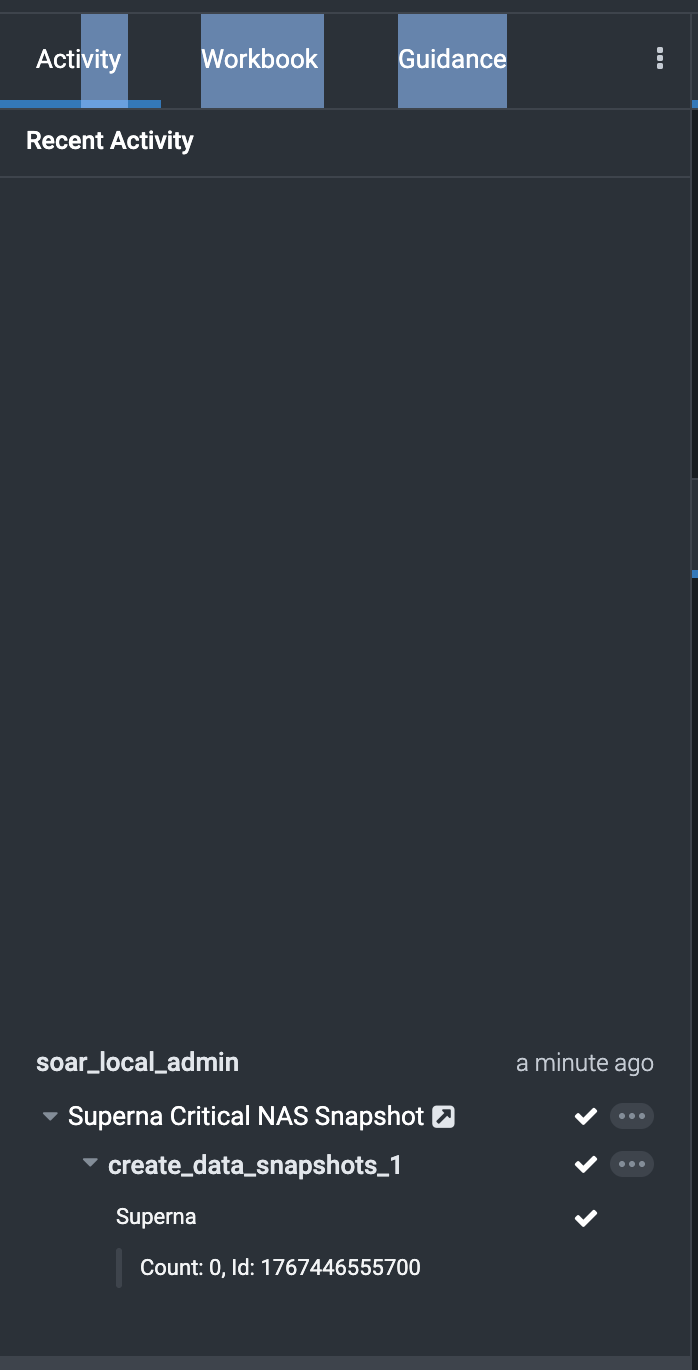
- The job ID is returned that ran on Eyeglass. To verify details of the playbook execution click the activity tab and review each steps completion.
-
- Running the User lockout playbook
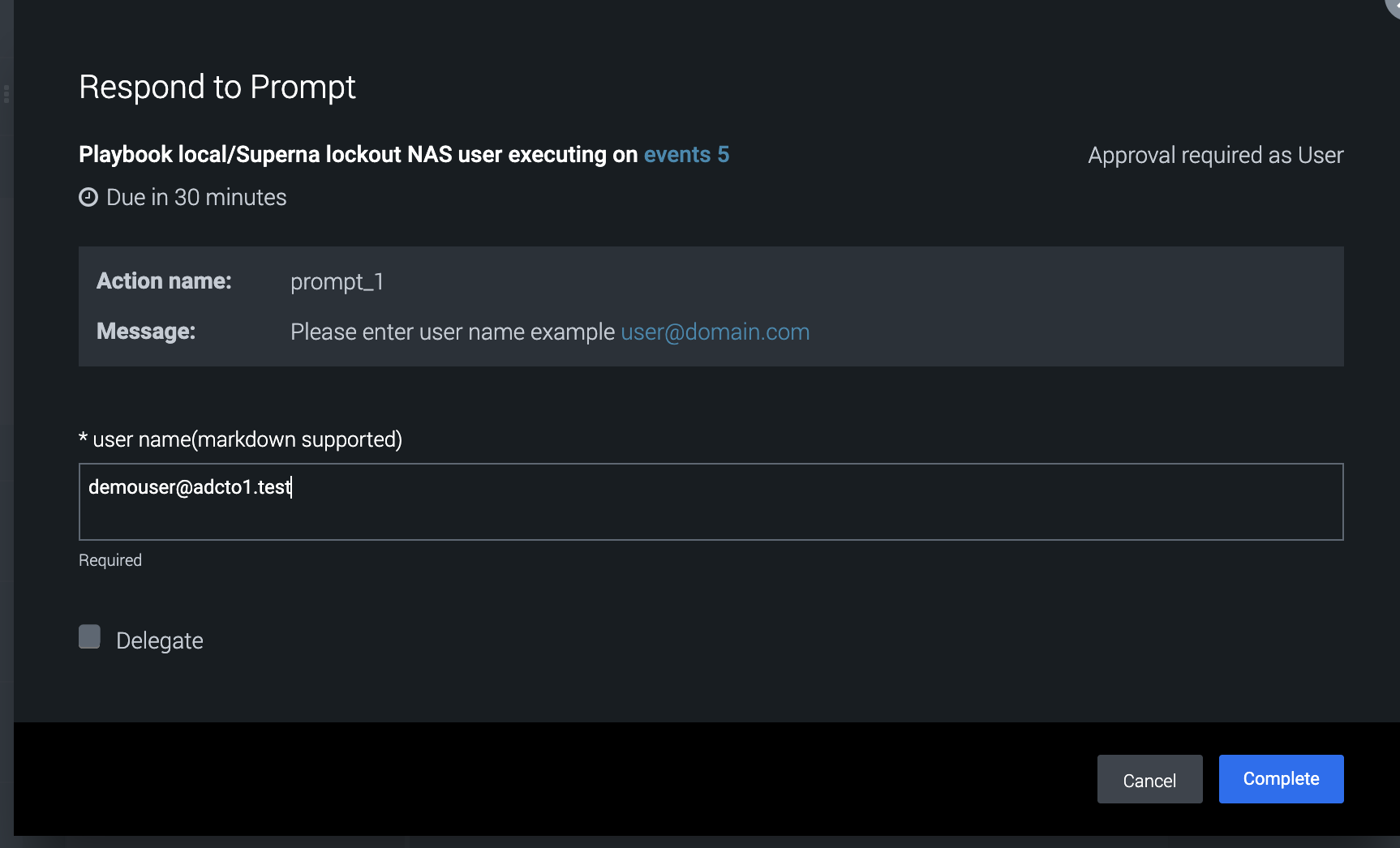
- This playbook requires a username input during execution.
- This playbook will resolve the users permissions to data and deny the user access to SMB shares on any protected storage device.
- The activity tab details will show the steps completing.
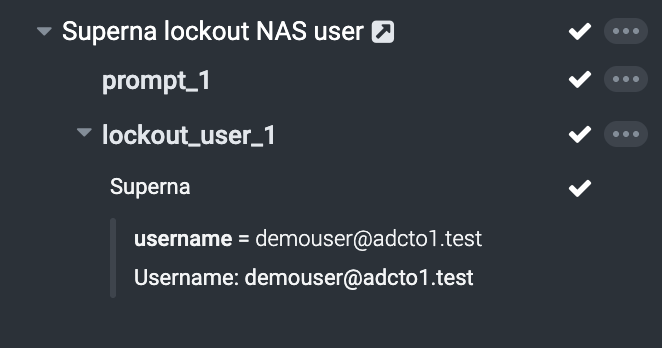
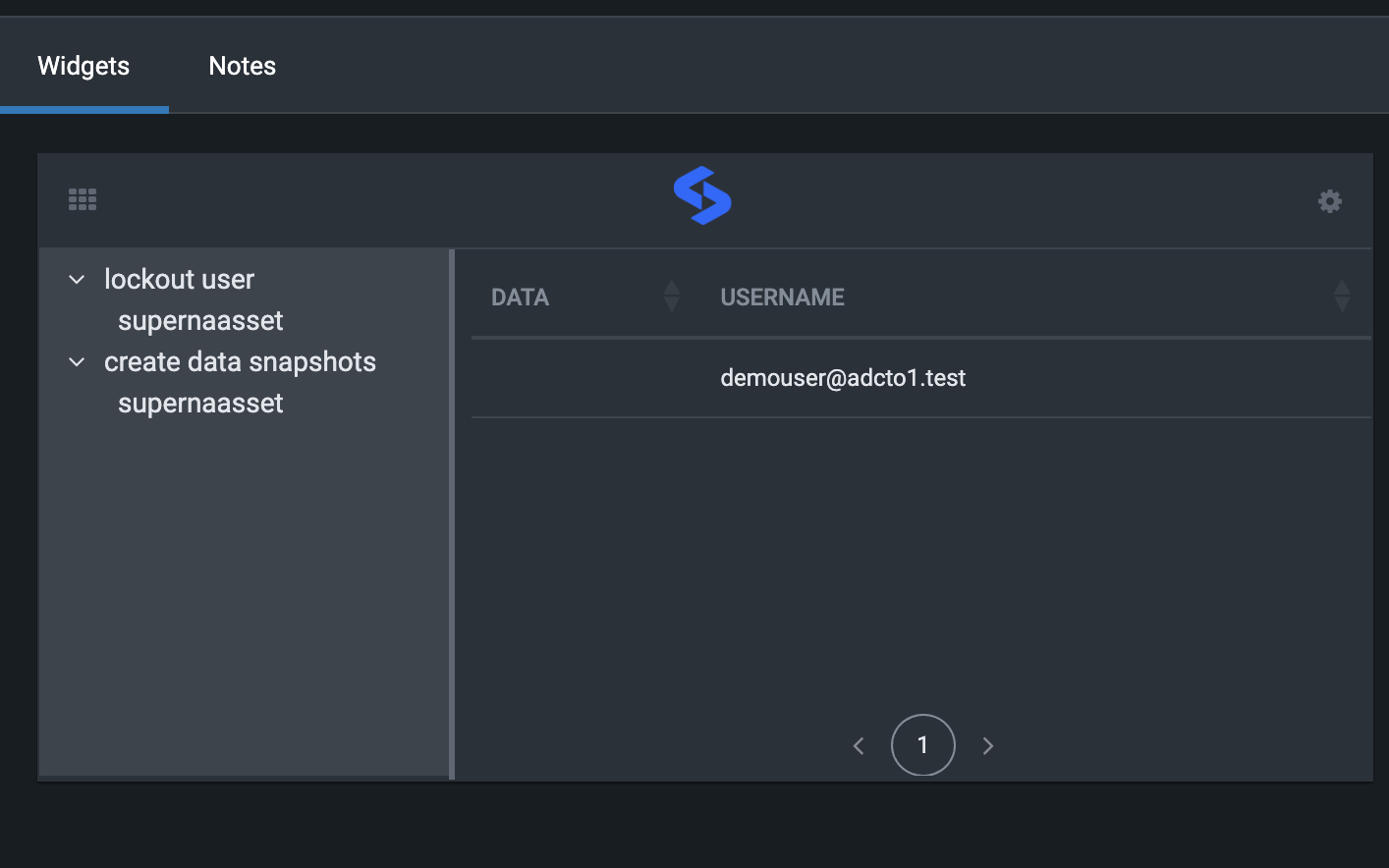
- The widget also shows completetion.
- Running the restore user playbook
- This playbook is used to restore permissions to a user that was previously locked out.
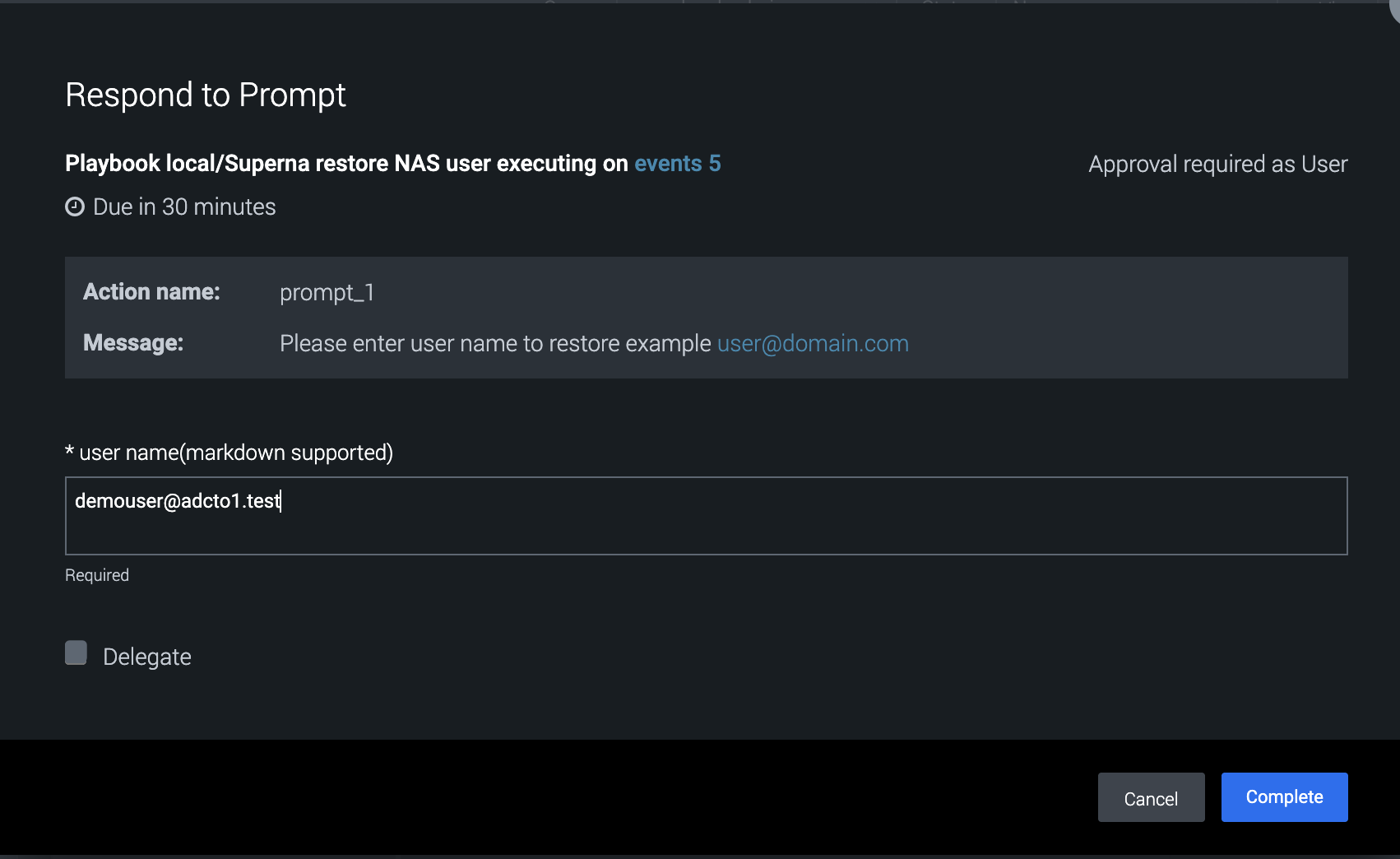
- This playbook requires user input for the username
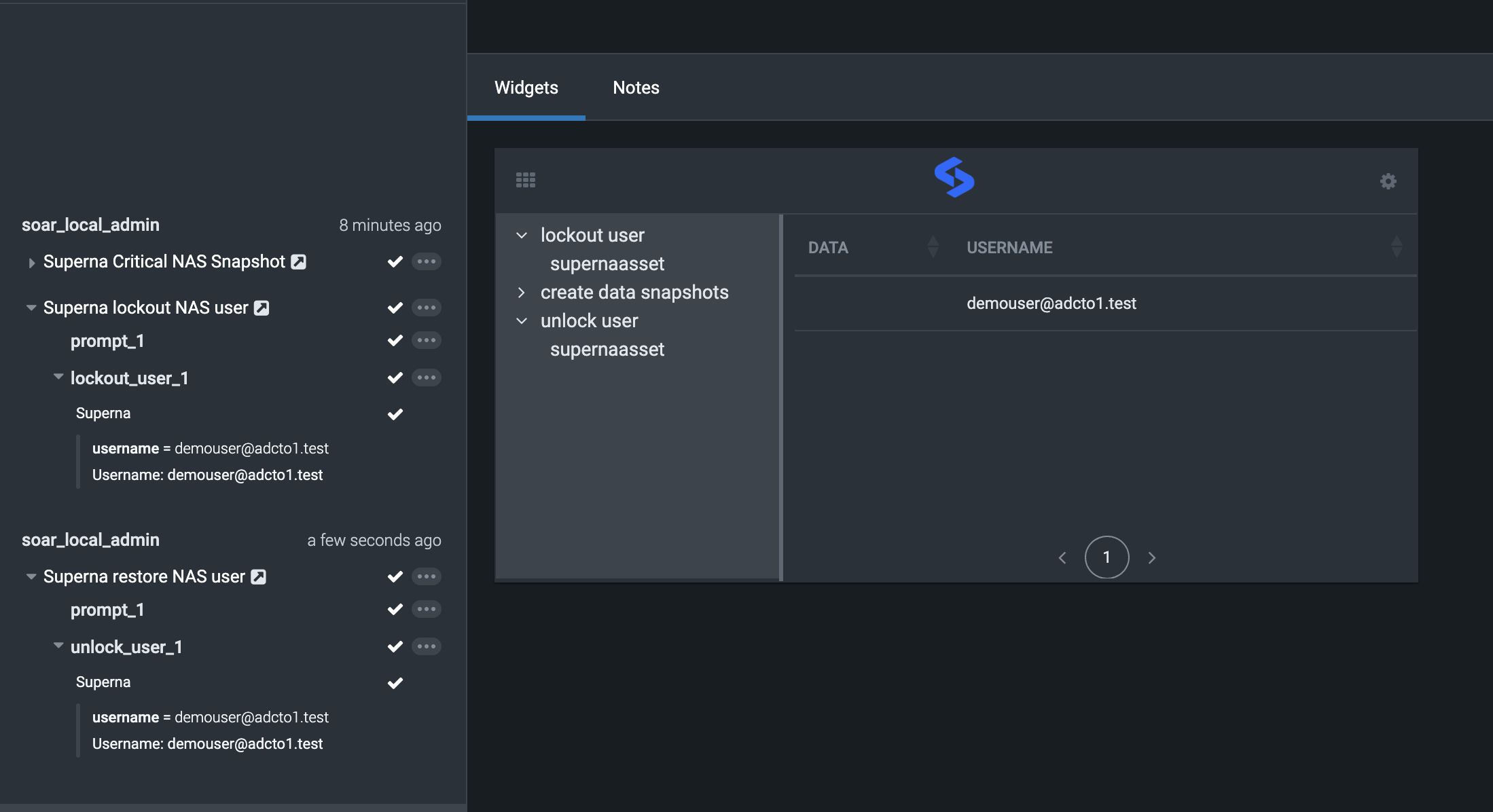
- Successful completion will show activity log and widget update
- This playbook is used to restore permissions to a user that was previously locked out.
- Done.